Release notes for previous maintenance cycles can be found here:
http://download.speechmotion.com/download/default.aspx
|
What’s New in SpeechMotion
5.30 Release Summary This release includes more updates to batch distribution and new Split Job options. Enterprise Client · Fixed: Batch Printing HOLD Queues · Changed: New Split Document dialog and options · Changed: Birth date added to editor header grid · Changed: Auto select batch distribute options · Added: Clear Voice Draft Status · Added: MediLexicon search/lookup Workflow Server · Fixed: Stuck Batch Printing Queues · Changed: New Forms Billing and Payroll tab · Changed: Add Device printers · Added: Added FAX support for 10 digit local calls
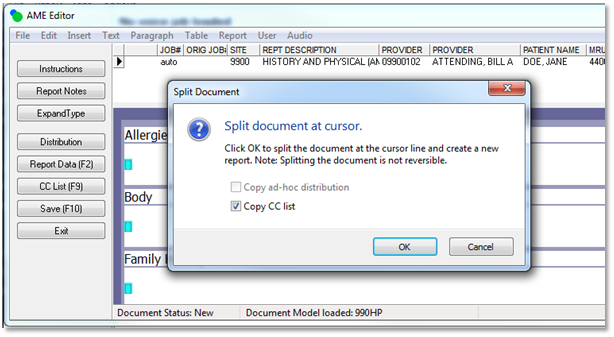
Enterprise Client Fixed: Batch Printing HOLD QueuesThe SpeechMotion documentation states: Placing a document on HOLD will keep the document from printing. A document placed on HOLD will reload the next time documents are imported to Batch Print. Placing a document on HOLD in Batch Print would keep the document from printing but the document would not reload the next time users open Batch Print. This issue has been resolved. Documents placed on HOLD will now be available in the list of current documents in Batch Print. Changed: New Split Document dialog and optionsSplitting documents in editor displays a new dialog box with options.
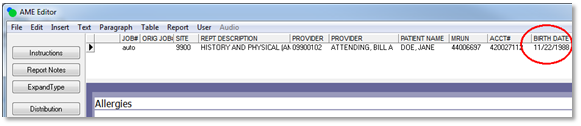
Note: If no CC recipients or ad-hoc distributions exist on the original report, the options will be disabled since there is nothing to copy to the new report. Changed: Birth date added to editor header gridWhen editing, the Report header grid now includes the patients birth date.
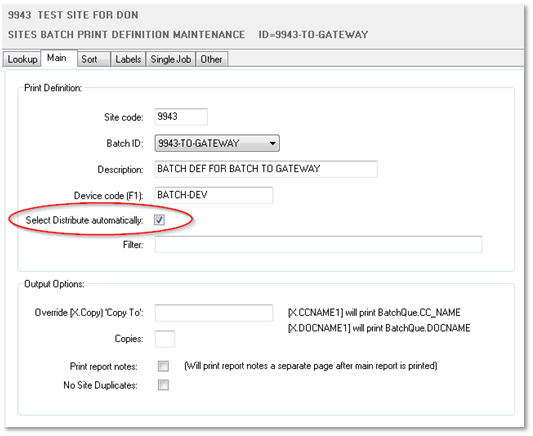
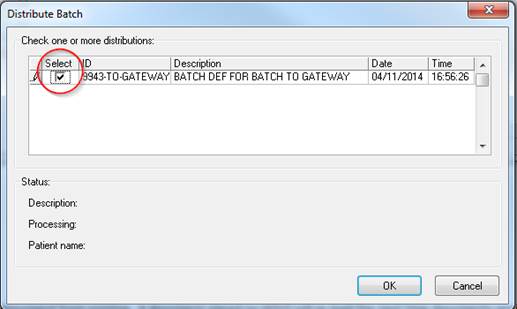
Note: To see the new field, reset the grid by clicking on it and hold keys [CTRL]+[SHIFT]+[Z] Changed: Auto select batch distribute optionsThe ‘Select Distribute automatically’ check box option in the Batch Print Definition maintenance Main tab will cause the Select option to be checked in Distribute Batch when running a Batch Print from Enterprise Client.
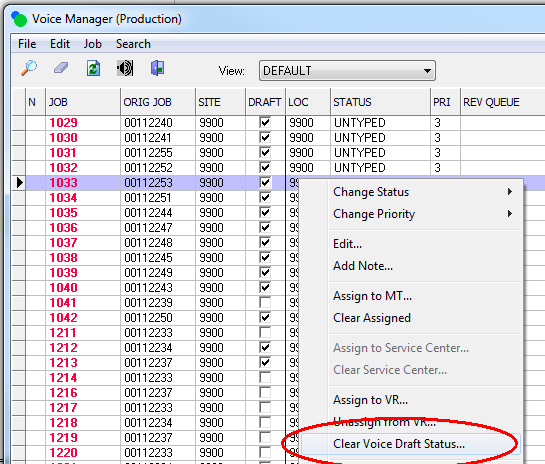
Added: Clear Voice Draft StatusUsers wishing to remove the voice draft document associated with a dictations can now do so in the Voice Manager. Once cleared, the job remains in status UNTYPED until it is checked out. The draft document will not be loaded in the transcription module. Billing and payroll with calculate the job as if was transcribed manually. Clearing Voice Draft Status of a dictation is allowed when: · Job is not assigned or checked out · Job is untyped · Job currently has a draft
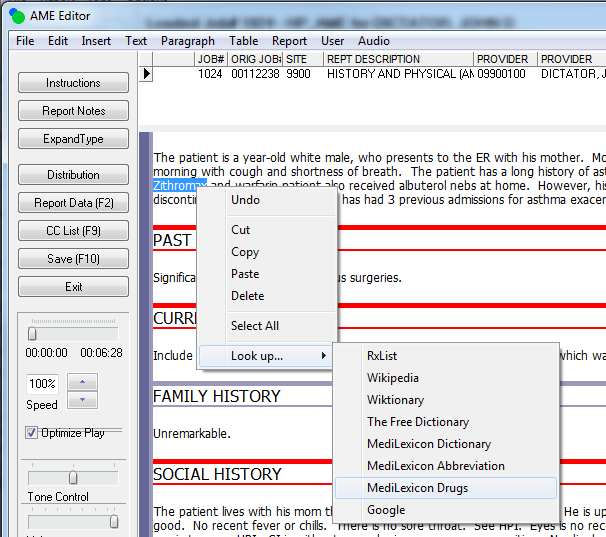
Added: MediLexicon search/lookupMediLexicon was added to the Lookup list.
Workflow Server Fixed: Stuck Batch Printing QueuesIn rare cases, batch printing would generate “No Reports
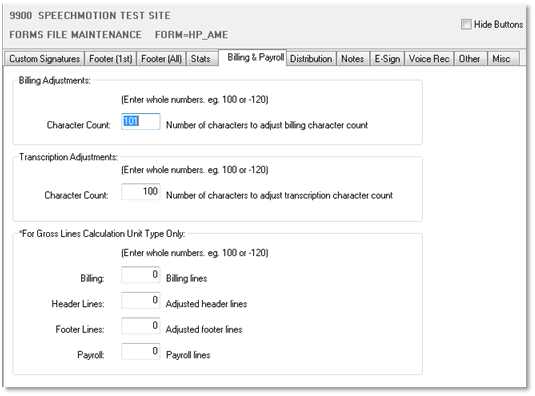
to Print” errors. No other jobs would process through the queue. This has been resolved. Changed: New Forms Billing and Payroll tabThe billing and payroll character adjustment configuration was moved to a new tab in Forms file maintenance.
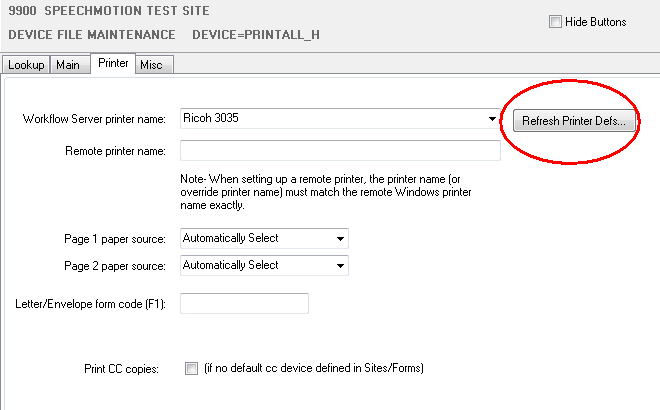
Changed: Add Device printersDevices printer setup REFRESH button now rebuilds
printer definitions. New printers do not show up in the printer selection until [Refresh Printer Defs…] is ran.
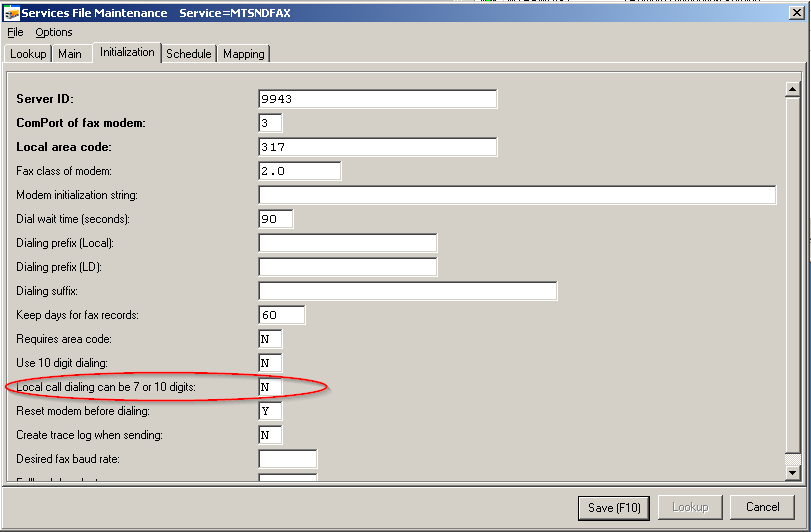
Note: It is unnecessary to “Refresh” if no new printers have been installed. Added: Added FAX support for 10 digit local callsIn certain locales, local calls can be made to different area codes. Dialing to one of the area codes required dialing the 7 digit phone number and dialing to the other area code requires dialing the 10 digit phone number which include the area code. Setting this parameter to ‘Y’ does the following: The local call is made by dialing the 7 digit phone number when the area code of the number to dial is the same as the ‘Local area code’ value. The local call is made by dialing the 10 digit phone number when the area code of the number to dial is different than the ‘Local area code’ value.
Note: The SpeechMotion 5.3 Gateway installation/update was updated with this change.
|