Notes for previous releases can be found here:
http://download.speechmotion.com/installs/
|
What’s New in SpeechMotion
5.50 Release Summary
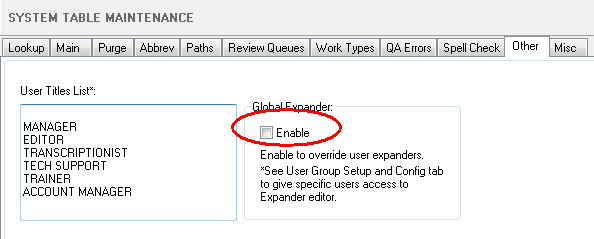
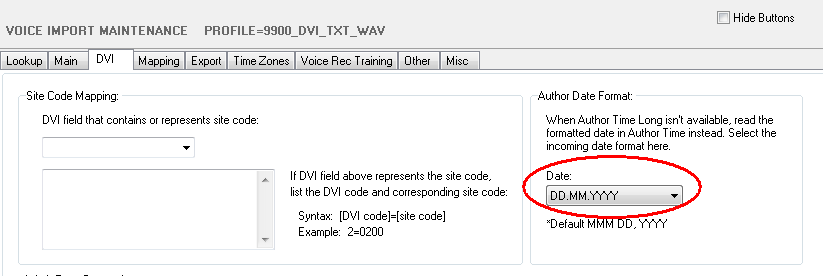
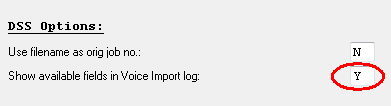
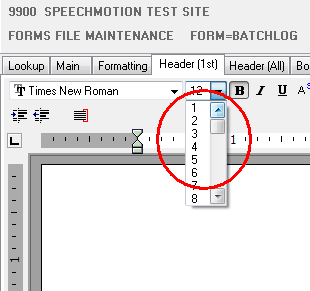
Enterprise Client · Added: Protected Text (SpeechMotion editor) · Changed: Batch Manager fixes and enhancements · Changed: Report event logs now indicate specific Enterprise Client modules · Changed: Voice Manager edit screen overhaul Workflow Server · Fixed: CC distributions for a single report was limited to 9 · Fixed: Voice Import DigtaNet WAV file format audio length · Added: Turnaround Time goals can now be set per Provider · Added: New turnaround time goal precedence options · Added: Full Review routing at multiple intervals (100%, 50%, 10% etc…) · Added: Global Expanders can be applied at the SpeechMotion workflow server level · Added: DVI_WAV voice import now supports multiple Author Time date formats · Added: Voice Import support for Olympus DSS, DS2. Grundig DSS, DS2 files · Added: Custom Voice Manager views at the SpeechMotion workflow server level · Added: DSS file format Mapping · Added: DSS file info field logging · Changed: Font sizes now include 1-7 · Changed: ImportFile field expanded to 255 chars
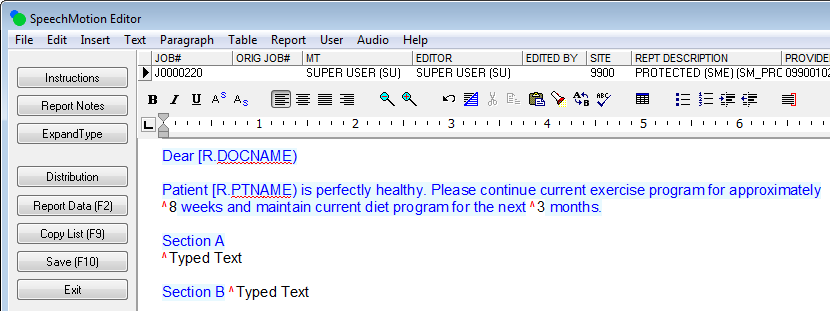
Enterprise Client Added: Protected Text (SpeechMotion editor)Protected Text can be applied to regions with a Form header, body or footer. They can also be applied in RTF templates. Protected regions cannot be removed from the document.
QA users who need access to the Edit->Clear Protection options will need “Enable Protected Text menu options” turned on in User Group module on the Misc tab. Changed: Batch Manager fixes and enhancementsA number of changes and fixes in the Batch Manager module. · Batch Distribution would not always display the current version a report in Batch Preview or distribute the current version of the report when distributing the report in Batch Distribution. This has been fixed. · Batch Distribution events were not correctly logging activities in the document event logs. This has been fixed. ·
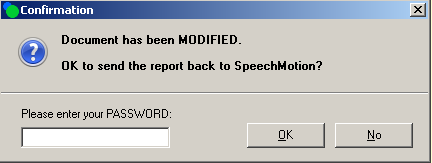
After editing a report in Batch Preview in Batch Distribution,
users now have to enter their password in a Confirmation dialog. · Increased the maximum number of events that can be displayed in Report events or Report details from 200 to 500. · The order of events recorded where sometimes incorrect. This has been fixed. ·
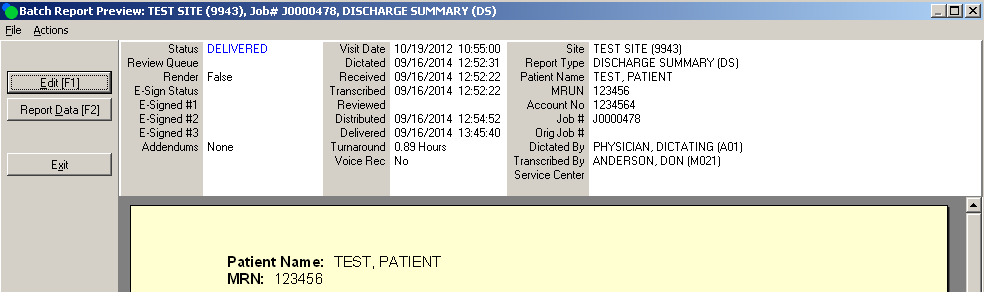
In Preview in Batch Distribution, the display of the report
demographics has been enhanced. This now looks like the demographics
seen in Report Options.
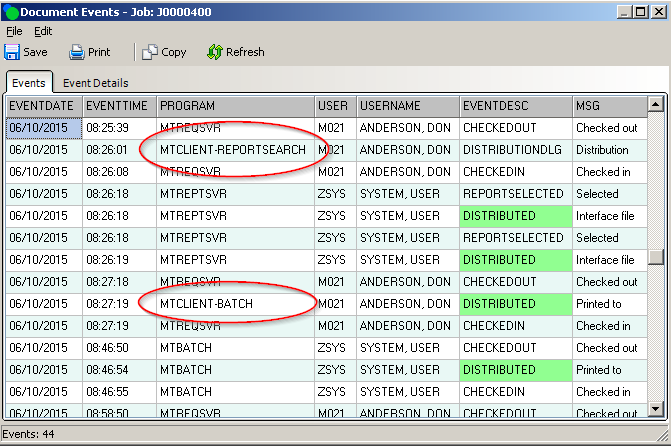
Changed: Report event logs now indicate specific Enterprise Client modulesReport events show the module that created the event. Events created by MTCLIENT now show the module such as Report Search that MTCLIENT was in when the event was created.
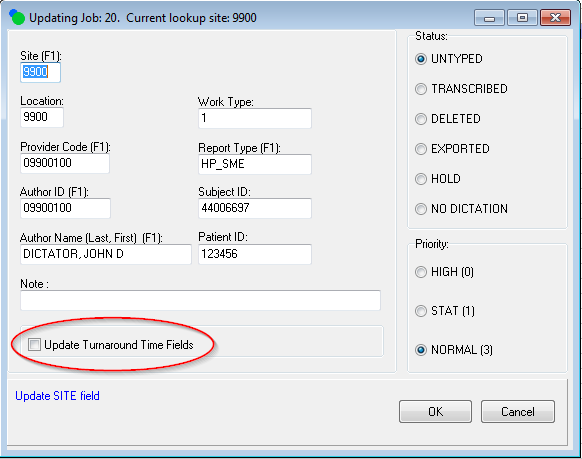
Changed: Voice Manager edit screen overhaulUpdate Related Fields checkbox has been relabeled to Update Turnaround Time Fields. · Modifying any of the Provider Code, Author ID, or Author Name fields will change the values in all of these fields it the edit window and all of the fields will be updated in the database when saved. Previously, all of the fields on the edit form would change but only the field that was modified would be saved in the database. · Modifying the Work Type field will update the Report Type field if the value in the Work Type field is valid in the Dictation Work Type field of a form. If the Work Type value does not match a Dictation Work Type of any form, the value entered will be used and the Report Type field will not be updated. · Modifying the Report Type field will update the Work Type field if a Dictation Work Type value is set for the form. If the Dictation Work Type is not set for the form, the Work Type value will not be changed. · When opening edit, the ‘Update Turnaround Time Fields’ will always be unchecked. Previously, it would be checked when going into edit from the Dictation Details window and would be unchecked when going into edit from the popup menu. · If ‘Update Turnaround Time Fields’ is checked, the turnaround time goal, received date and time fields, and the duedate and duetime fields will be changed if the new turnaround time goal is different than the turnaround time goal of the dictation job. These fields will not be changed if the turnaround time goals are the same. · When finished editing, changes are now shown in Voice Manager. Previously, you sometimes need to select Refresh to see your changes. · Changes to any field will now be logged in Dictation Details or Events. This includes changes to Turngoal, Duedate and Duetime, and Receive date and time which were not previously logged.
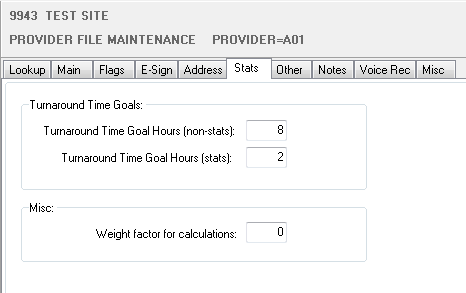
Workflow Server Fixed: CC distributions for a single report was limited to 9.SpeechMotion accepts 15 CC distributions per report, but only a max of 9 would be delivered. This has been fixed. Fixed: Voice Import DigtaNet WAV file format audio lengthVoice Import would not read the audio length WAV files created by DigtaNet software (Germany). This has been fixed. Added: Turnaround Time goals can now be set per ProviderPreviously, turnaround goal times for dictation jobs could be set per Site or Form. Now turnaround time goals can be set per Site, Form, or Provider. A new Stats tab has been added to Provider maintenance to allow setting the turnaround time goals. The Weight factor for calculations has been moved from the Main tab to the Stats tab.
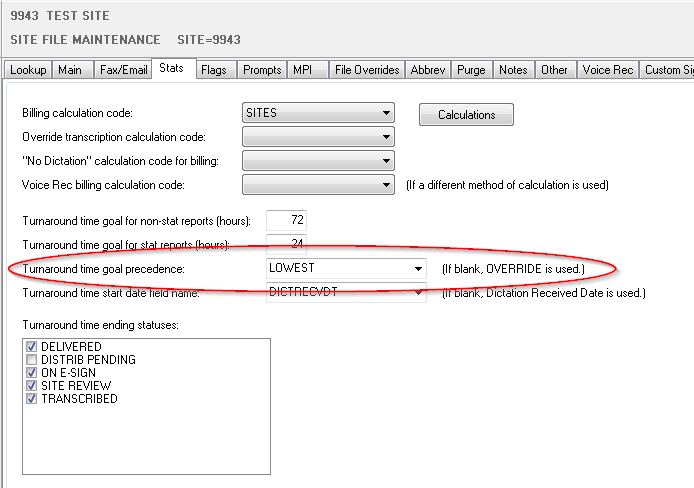
Added: New turnaround time goal precedence optionsNew Turnaround time goal precedence option is on the Stats tab in Sites Maintenance. This can be set to the SpeechMotion default of OVERRIDE or LOWEST. OVERRIDE precedence will set the turnaround time goal for a dictation job in the following order: Provider, then Form, and then Site turnaround time goals. If Provider goals are not set, Form goals will be used. Then if Form goals are not set, Site goals will be used. LOWEST precedence will set the turnaround time goal for a dictation job in the following order: Lowest value of the Provider goals or Form goals, and then the Site goals. First, if the Provider goals and the Form goals are both set the lower value of either of these goals is used. Then, if the Provider goals are set and Form goals are not set the Provider goals are used. Next, if the Provider goals are not set and Form goals are set the Form goals are used. Finally, if both Provider goals and Form goals are not set the Site goals are used.
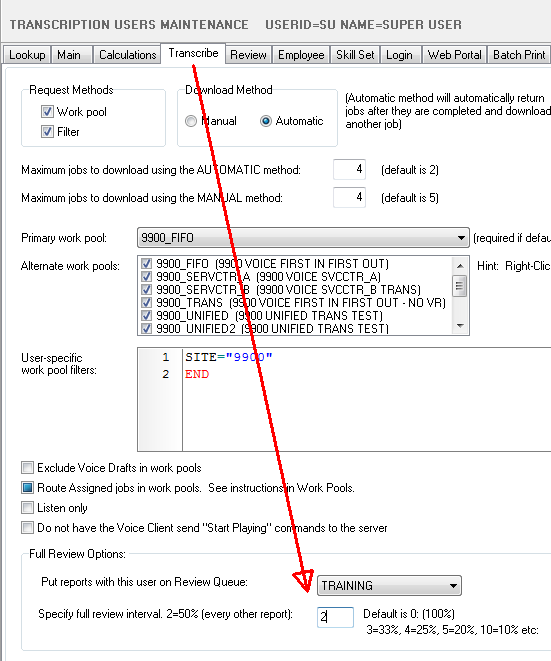
Added: Full Review routing at multiple intervals (100%, 50%, 10% etc…)When enabling Full Review, you can now set alternate intervals instead of 100%. |