Notes for previous releases can be found here:
http://download.speechmotion.com/installs/
|
What’s New in SpeechMotion 5.50
Release Summary
Enterprise Client
Workflow Server
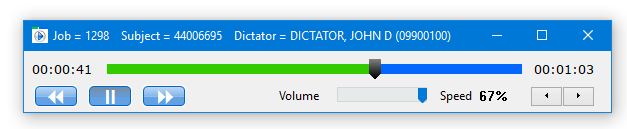
Enterprise Client Fixed: Various issues relating to the SpeechMotion dictation playerSpeechMotion dictation player, used when Transcribing or QA
Editing was updated to resolve several issues:
Additional changes were made:
The buttons for jump to beginning, jump to end were removed. Click on the progress bar to jump. The hotkeys are unchanged. Fixed: Toggle Case in AnyModal editorToggleCase in the AME was un-highlighting the first character of the selection. Fixed: Issues when jumping to next marker in AnyModal editorJumping to next marker would stop at a non-marker when bracket characters are used. Fixed: Mouse double-click word in SpeechMotion EditorAfter a Windows 10 update last December, some users were unable to select words with mouse double-click. This has been resolved. Changed: Stedman’s Spell Check 2018 updateStedman’s Medical Dictionary was updated with the 2018 release of new words.
Workflow Server Fixed: Issues with importing WORKFLOW .exp filesFixed an issue with importing a SpeechMotion formatted (.exp) Workflow file.
Previously, only one record in the file would import and the rest of the records would cause errors. The file would import all records if the .KEY field was removed from every record in the file. This is no longer necessary. Fixed: User rights to maintenance tables through quick-linksQuick-lines to various table maintenance forms were ignoring user permission for those tables. This has been resolved.
When editing Forms, hotlink buttons to Fields Maintenance and Device Output Maintenance are now enabled/disabled using the Access Restriction Config.
When editing Providers, hotlink buttons to Address Maintenance, Create User and Site User Maintenance buttons are now enabled/disabled using the Access Restriction Config.
When editing Sites, hotlink buttons to Calc Maintenance and Report Data Field Maintenance buttons are now enabled/disabled using the Access Restriction Config.
Regards,
SpeechMotion Software Team
|
|
|
|
|